
Bulk Page Comparison
Compare many pages side-by-side.
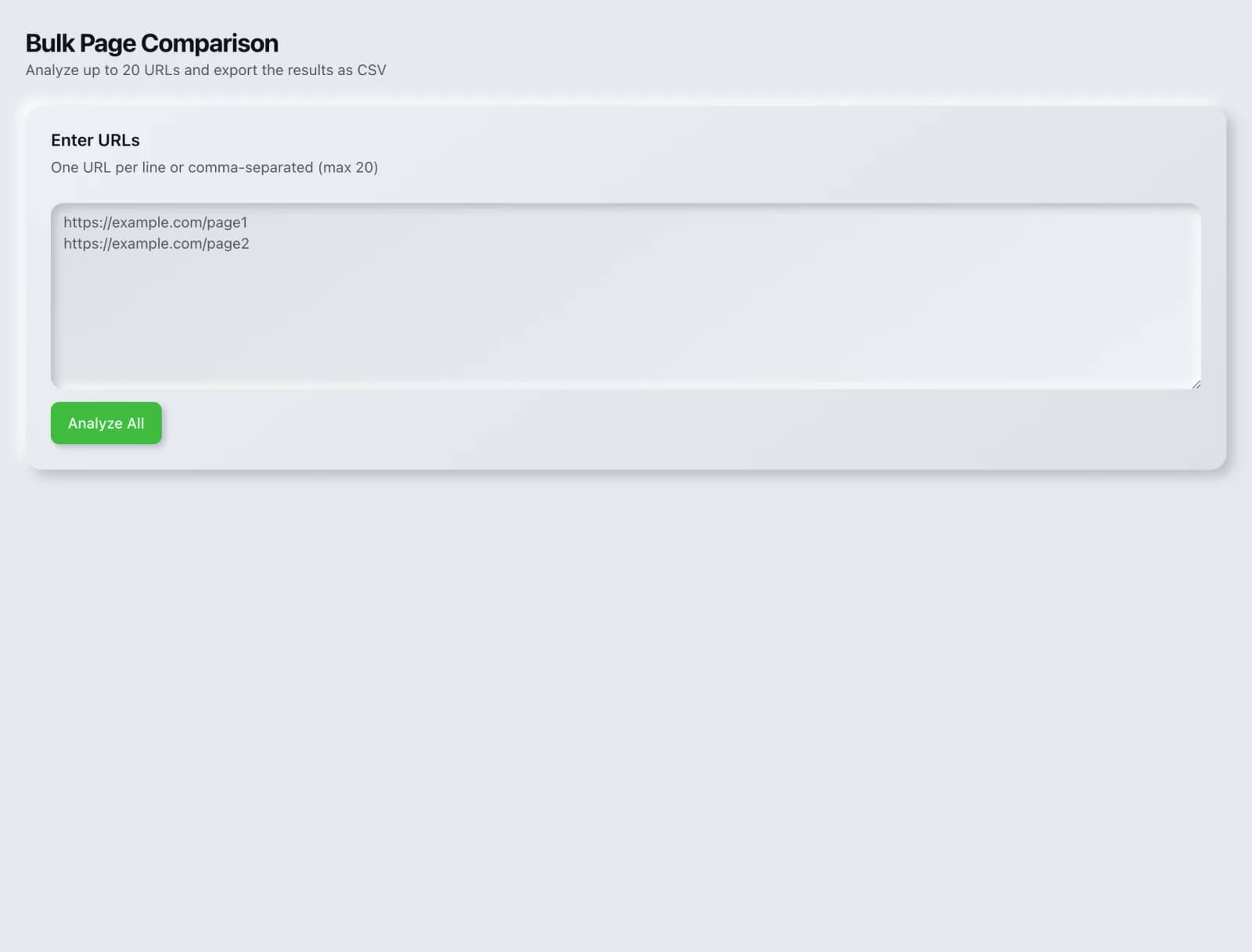
Line up multiple pages and compare their on-page SEO signals at a glance: perfect for templating and QA.
What you get
Everything Bulk Page Comparison delivers, out of the box.
Many URLs at once
On-page signal matrix
Spot inconsistencies fast
Free to use
How it works
From input to insight in three steps.
Enter your URL or keyword
Point Bulk Page Comparison at any page, domain or search term, yours or a competitor's.
SEO Roger analyzes it
We run the analysis with DataForSEO's live SEO index in seconds.
Get a prioritized report
Read a clear, ranked breakdown of exactly what to do next.
Related tools
More from Competitive Research.
What is Bulk Page Comparison?
Bulk Page Comparison lines up multiple URLs side by side and shows their on-page SEO signals in one table: titles, meta descriptions, headings, word counts, canonicals and indexability. It is built for spotting the odd one out across a set of pages that should be consistent. It is free on every plan.
How to use Bulk Page Comparison
From signup to shipped fix, this is the whole loop.
- 1Create a free accountSign up in under a minute. No credit card is required, and your first site scan works without an account at all.
- 2Point Bulk Page Comparison at your siteEnter the URL or domain you want to analyze. You can run it on your own site or on a competitor's.
- 3Let it pull the live dataBulk Page Comparison fetches the current state of the page or domain and runs its checks. Most runs finish in seconds.
- 4Read the ranked findingsResults come back ordered by impact rather than by count, so the issue costing you the most traffic is at the top, not buried under cosmetic warnings.
- 5Ship the fix, then re-runApply the recommended change, or let Roger AI draft it for you, then run the tool again to confirm the issue is resolved and track the improvement.
Why Bulk Page Comparison matters
Most on-page problems at scale are consistency problems. One product page in a range is missing its canonical, one location page kept the placeholder title from the template, one article in a series has no H1. These are trivial to fix and nearly impossible to see when you are opening pages one at a time, because each page looks fine in isolation. Alignment is what makes the outlier obvious.
Search is no longer only Google. ChatGPT, Google AI Overviews, Perplexity, Gemini and Claude answer a growing share of queries by reading the same pages crawlers do, then citing a handful of sources. SEO Roger keeps both audiences in view: the classic SERP and the AI answer, from one workspace.
Who it's for
- In-house SEOs who need competitive and backlink intelligence without stitching three tools together
- Agencies and consultants producing client-ready findings, fast
- Founders and marketers who want the fix, not just the metric
Bulk Page Comparison in depth
Comparison beats inspection for template work
When twenty pages share a template, the interesting information is not what any one page contains but where they differ. Reading them sequentially means holding nineteen pages in your head to notice the twentieth is wrong. Putting them in a table means the gap is visible at a glance, in the column where a value is empty or obviously different in length from its neighbours.
The comparisons worth running
Four sets pay for themselves repeatedly. Your top landing pages, to confirm the ones that matter are all correct. A product or category range, to catch the one missing its description. Location pages, where duplicated titles across cities is a very common and very damaging error. And your pages against the competitor pages outranking them, which is a fast way to see how differently they have approached the same query.
Duplicate values are the headline finding
The single most valuable thing this surfaces is duplication. Identical titles across a range of pages tell search engines these pages are interchangeable, which is exactly what you do not want when each one targets a different city, product or use case. Duplicate meta descriptions matter less but still cost click-through. Both are invisible page by page and unmissable in a column.
Use it as a release check
The most reliable time to run this is immediately after a template change, migration or bulk content update, because that is when consistency breaks. Comparing a representative sample of affected pages takes a couple of minutes and catches the class of error that otherwise gets discovered months later when someone wonders why a whole section stopped ranking.
Bulk Page Comparison questions, answered
Does it cost credits?
No. Bulk Page Comparison is free on every plan. It fetches and parses pages on our own infrastructure with no paid data provider involved.
How many pages can I compare?
It is designed for readable side-by-side sets rather than site-wide analysis. If you want every page on the site rather than a chosen sample, run On-Page Analysis or the Full Site Audit, which crawl rather than compare.
Can I include competitor pages?
Yes, and it is one of the better uses. Line up your page against the three currently outranking it and the structural differences in title framing, heading depth and content length become obvious immediately, which is far more informative than reading each page separately.
What does it actually compare?
On-page signals that can be read from the page itself: title, meta description, headings, word count, canonical and indexability. It does not compare rankings, traffic or backlinks, which need external data. For those, use Rank Comparison or Competitor Comparison.
Why do duplicate titles matter so much?
Because they tell search engines that pages with different purposes are the same. On location pages in particular, twenty cities sharing one title is a well-known cause of the whole set underperforming, since there is nothing distinguishing the page for one city from the page for another.
How does this differ from PagePro Analyzer?
PagePro Analyzer goes deep on one URL and grades it. This goes shallow across many and aligns them so differences show. Use this to find which page is wrong, then open that page in PagePro Analyzer to understand why.
Ready to try Bulk Page Comparison?
Create a free account and run it in minutes, plus 55+ other SEO and AI-visibility tools in the same workspace.