
Domain Overview
An instant, SEMrush-style report for any domain.
One search returns authority, organic traffic, top keywords, backlinks, tech stack and AI visibility for any domain: yours or a competitor's.
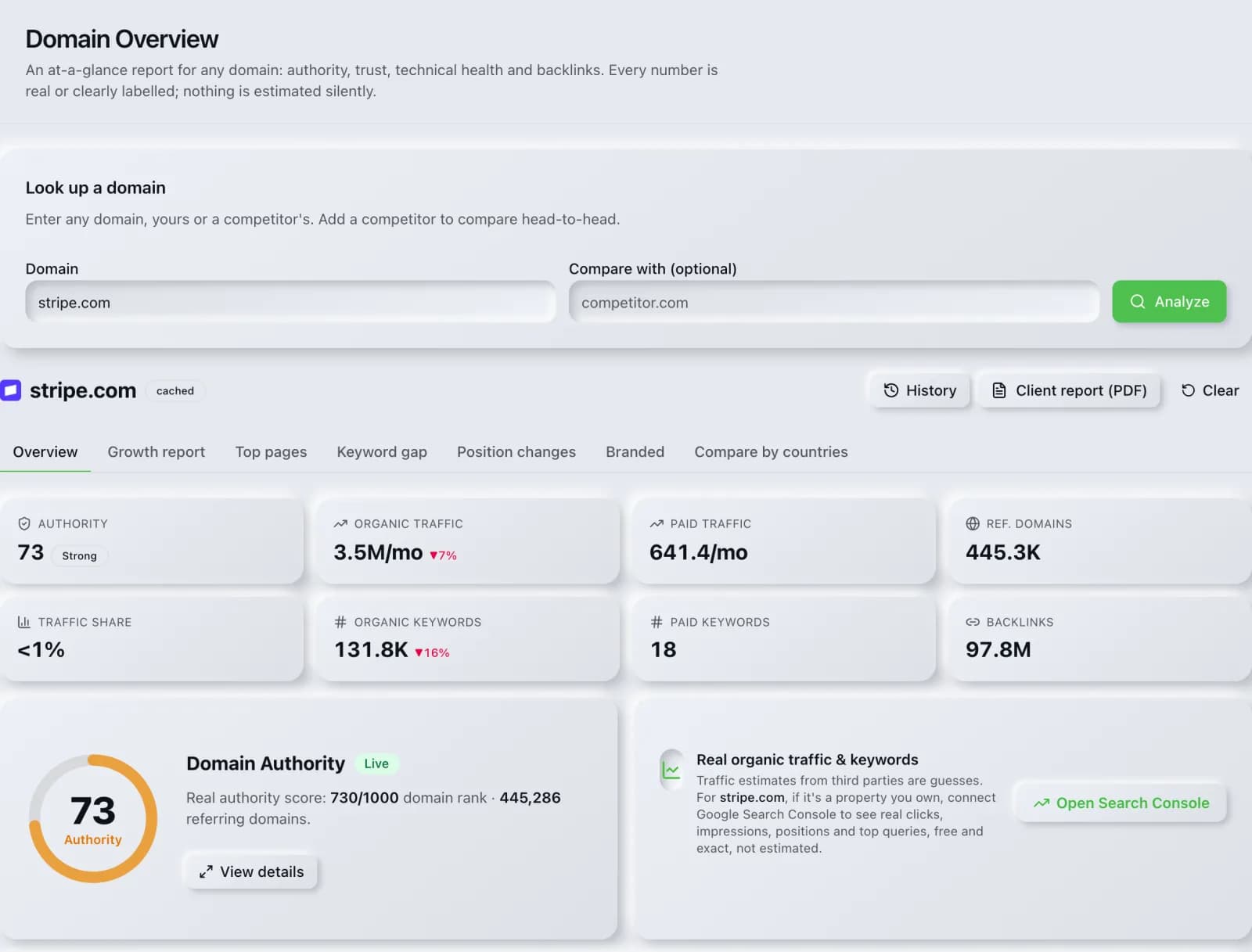
What you get
Everything Domain Overview delivers, out of the box.
Authority & trust scores
Top pages, keywords & position changes
Backlink & referring-domain snapshot
AI visibility per engine
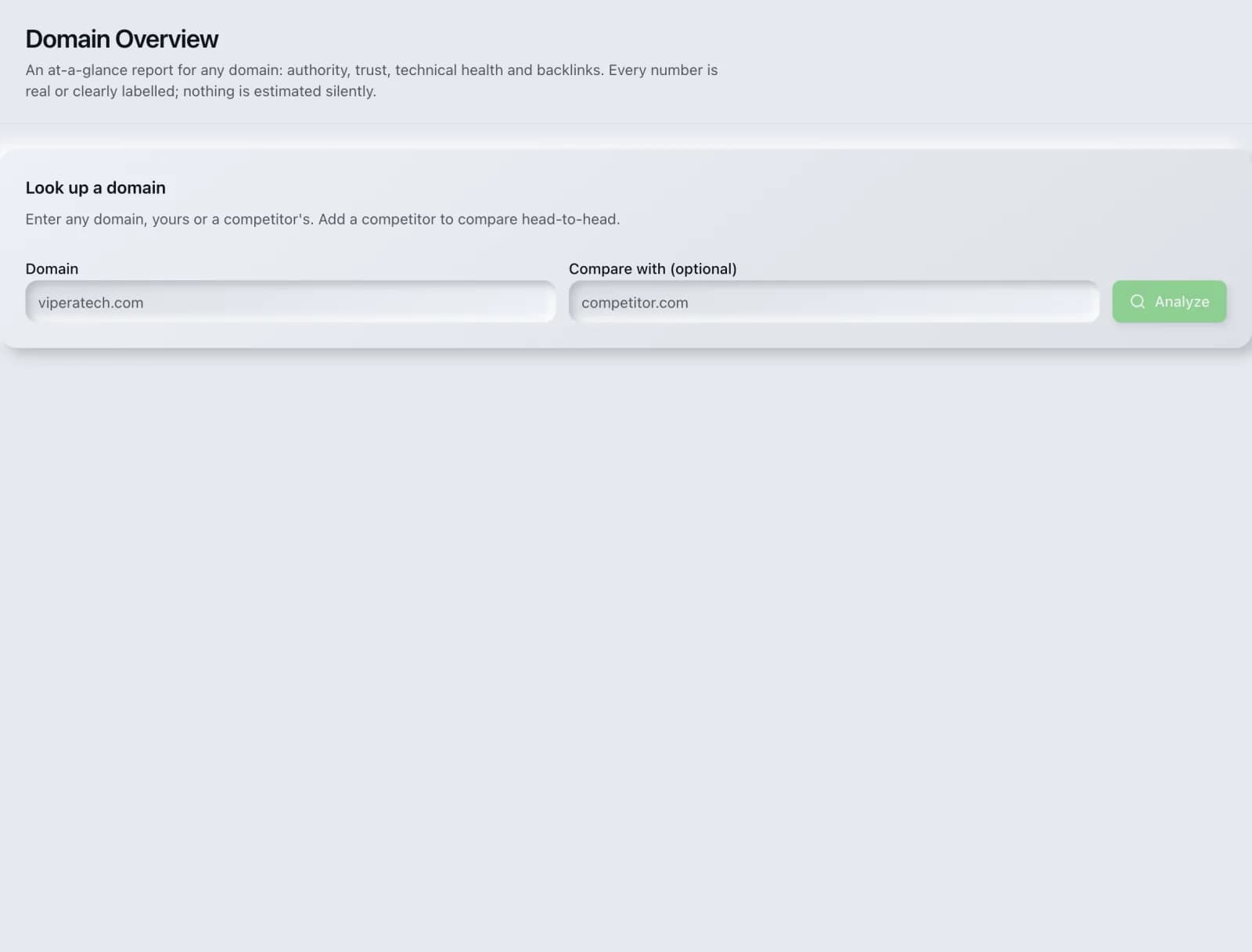
Where you start
Domain Overview before you run it: the inputs it asks for, and nothing else to wade through.
How it works
From input to insight in three steps.
Enter your URL or keyword
Point Domain Overview at any page, domain or search term, yours or a competitor's.
SEO Roger analyzes it
We run the analysis with DataForSEO's live SEO index in seconds.
Get a prioritized report
Read a clear, ranked breakdown of exactly what to do next.
Related tools
More from Competitive Research.
What is Domain Overview?
Domain Overview is an instant competitive report for any domain, yours or a rival's. Enter a domain and you get authority, estimated organic and paid traffic, keyword and backlink counts, the traffic trend over time, top pages, keyword gaps and position changes, plus an AI visibility read of whether answer engines mention the brand. It costs 12 credits per lookup, and results are cached for 24 hours so revisiting a report is free.
How to use Domain Overview
From signup to shipped fix, this is the whole loop.
- 1Create a free accountSign up in under a minute. No credit card is required, and your first site scan works without an account at all.
- 2Point Domain Overview at your siteEnter the URL or domain you want to analyze. You can run it on your own site or on a competitor's.
- 3Let it pull the live dataDomain Overview fetches the current state of the page or domain and runs its checks. Most runs finish in seconds.
- 4Read the ranked findingsResults come back ordered by impact rather than by count, so the issue costing you the most traffic is at the top, not buried under cosmetic warnings.
- 5Ship the fix, then re-runApply the recommended change, or let Roger AI draft it for you, then run the tool again to confirm the issue is resolved and track the improvement.
Why Domain Overview matters
Before you commit a quarter of work to a market, you want to know what winning actually costs. A domain report answers that in about a minute: how much authority the incumbents have, which terms carry their traffic, where their links come from, and whether their position is trending up or down. It is the difference between picking a fight you can win and discovering six months in that you cannot.
Search is no longer only Google. ChatGPT, Google AI Overviews, Perplexity, Gemini and Claude answer a growing share of queries by reading the same pages crawlers do, then citing a handful of sources. SEO Roger keeps both audiences in view: the classic SERP and the AI answer, from one workspace.
Who it's for
- In-house SEOs who need competitive and backlink intelligence without stitching three tools together
- Agencies and consultants producing client-ready findings, fast
- Founders and marketers who want the fix, not just the metric
Domain Overview in depth
What is in the report
Authority score, organic and paid traffic estimates, organic and paid keyword counts, referring domains and total backlinks, plus a twelve-month traffic trend. Beyond the headline panel there are drill-downs for top pages, keyword gap against competitors, recent position changes, branded versus non-branded split, and per-country breakdowns.
Where the data comes from
The competitive metrics come from DataForSEO, which maintains the keyword, SERP and backlink indexes behind the report. Traffic figures are estimates modelled from ranking positions and search demand, not measured analytics, and should be read as a way to compare domains rather than as a substitute for Search Console or GA4 on a site you own.
How credits and caching work
A lookup costs 12 credits because it fans out to several paid provider calls. Results are cached for 24 hours per domain, and a cached view is explicitly not billed again, so revisiting a report you already ran, or refreshing the page, costs nothing. The AI visibility card is included at no extra credit cost.
Using it for competitive research
Run your own domain first for a baseline, then two or three competitors. The keyword gap tells you which of their terms you do not rank for, and the backlink gap surfaces referring domains linking to them but not to you, which is usually the most realistic prospecting list you will get. Comparison view puts several domains side by side on the same metrics.
Domain Overview questions, answered
What is a domain overview report?
It is a single-screen summary of a domain's search footprint: authority, estimated traffic, keyword and backlink counts, trend over time, and the pages and terms driving it. SEO Roger's version also includes an AI visibility read on whether answer engines mention the brand.
How much does Domain Overview cost?
12 credits per domain lookup, which reflects the several paid provider calls behind it. Results are cached for 24 hours and cached views are not billed again, so re-opening or refreshing a report you already ran is free.
How accurate is the traffic estimate?
Treat it as a comparative measure, not a measurement. Organic traffic is modelled from ranking positions and search volume, which is how every third-party tool does it, and it can differ substantially from a site's real analytics. For a site you own, connect Search Console for actual click data and use the estimate for competitors.
Can I check any domain, or only my own?
Any domain. The report is built entirely from public search data, so competitor research works exactly the same as checking your own site. No verification or access to the target site is needed.
What is an authority score?
A 0 to 100 measure of how strong a domain's backlink profile is relative to others, used to compare domains at a glance. It is a third-party model, not a Google metric. Google has never published a public domain-level authority score, so treat any such number, from any vendor, as a directional comparison rather than truth.
How do I use Domain Overview to find opportunities?
Run your domain and two or three competitors, then move to the keyword gap and backlink gap drill-downs. The gap views strip out everything you already have and leave the terms and referring domains that are genuinely missing, which is a far shorter and more actionable list than a full keyword export.
Why do some sections show no data?
Small, new or heavily restricted domains often have too little indexed data for some panels, and paid-search sections are empty for domains that do not advertise. An empty section means the provider had nothing for that domain, not that the lookup failed.
Ready to try Domain Overview?
Create a free account and run it in minutes, plus 55+ other SEO and AI-visibility tools in the same workspace.