
URL Opener
Open many URLs at once.
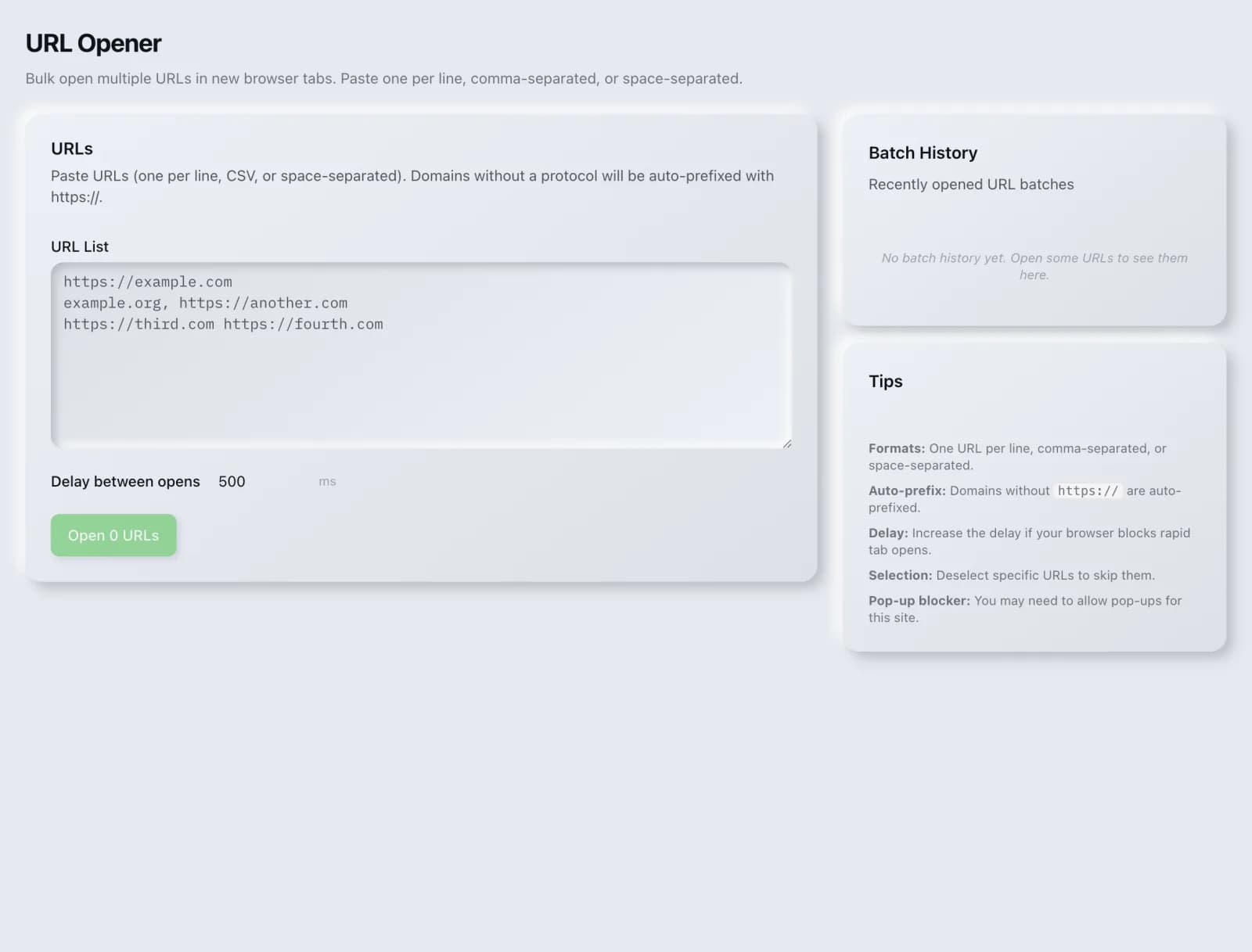
Paste a list and open every URL in new tabs: a small time-saver for audits and QA.
What you get
Everything URL Opener delivers, out of the box.
Bulk open
Paste a list
Fast QA
Free to use
How it works
From input to insight in three steps.
Enter your URL or keyword
Point URL Opener at any page, domain or search term, yours or a competitor's.
SEO Roger analyzes it
We run the analysis with our fast in-browser engine in seconds.
Get a prioritized report
Read a clear, ranked breakdown of exactly what to do next.
Related tools
More from Utilities.
What is URL Opener?
URL Opener takes a list of URLs and opens them all in new browser tabs at once. It is free on every plan.
How to use URL Opener
From signup to shipped fix, this is the whole loop.
- 1Create a free accountSign up in under a minute. No credit card is required, and your first site scan works without an account at all.
- 2Point URL Opener at your siteEnter the URL or domain you want to analyze. You can run it on your own site or on a competitor's.
- 3Let it pull the live dataURL Opener fetches the current state of the page or domain and runs its checks. Most runs finish in seconds.
- 4Read the ranked findingsResults come back ordered by impact rather than by count, so the issue costing you the most traffic is at the top, not buried under cosmetic warnings.
- 5Ship the fix, then re-runApply the recommended change, or let Roger AI draft it for you, then run the tool again to confirm the issue is resolved and track the improvement.
Why URL Opener matters
This is a small convenience rather than an SEO technique, and it is honestly described as such. When you are working through a list of pages to check manually, opening them one at a time is a tedious interruption to the actual work. That is the entire problem it solves.
Search is no longer only Google. ChatGPT, Google AI Overviews, Perplexity, Gemini and Claude answer a growing share of queries by reading the same pages crawlers do, then citing a handful of sources. SEO Roger keeps both audiences in view: the classic SERP and the AI answer, from one workspace.
Who it's for
- In-house SEOs who need everyday SEO housekeeping without stitching three tools together
- Agencies and consultants producing client-ready findings, fast
- Founders and marketers who want the fix, not just the metric
URL Opener in depth
Where it fits in a workflow
It is most useful in the manual review stage that follows an automated one: a crawl flags twenty pages, and you want to look at them yourself rather than trusting the report. Opening the batch and working through the tabs keeps your attention on reviewing rather than on copying and pasting.
Your browser will push back
Browsers block popups by default, so opening a batch usually requires allowing popups for this site the first time. It is also worth being realistic about batch size, since opening a very large number of tabs at once will slow any machine down considerably.
URL Opener questions, answered
Does it cost credits?
No. URL Opener is free on every plan.
Nothing opened. What happened?
Almost certainly your browser's popup blocker, which treats opening several tabs at once as exactly what it is designed to prevent. Allow popups for this site and try again.
How many URLs can I open at once?
There is no hard limit here, but your browser and machine have practical ones. Batches of ten to twenty are comfortable; a few hundred will make most computers struggle.
Does this help my SEO?
No, and it does not claim to. It is a time-saver for manual review work, nothing more.
Ready to try URL Opener?
Create a free account and run it in minutes, plus 55+ other SEO and AI-visibility tools in the same workspace.