
Heading Optimization
Fix your heading structure and hierarchy.
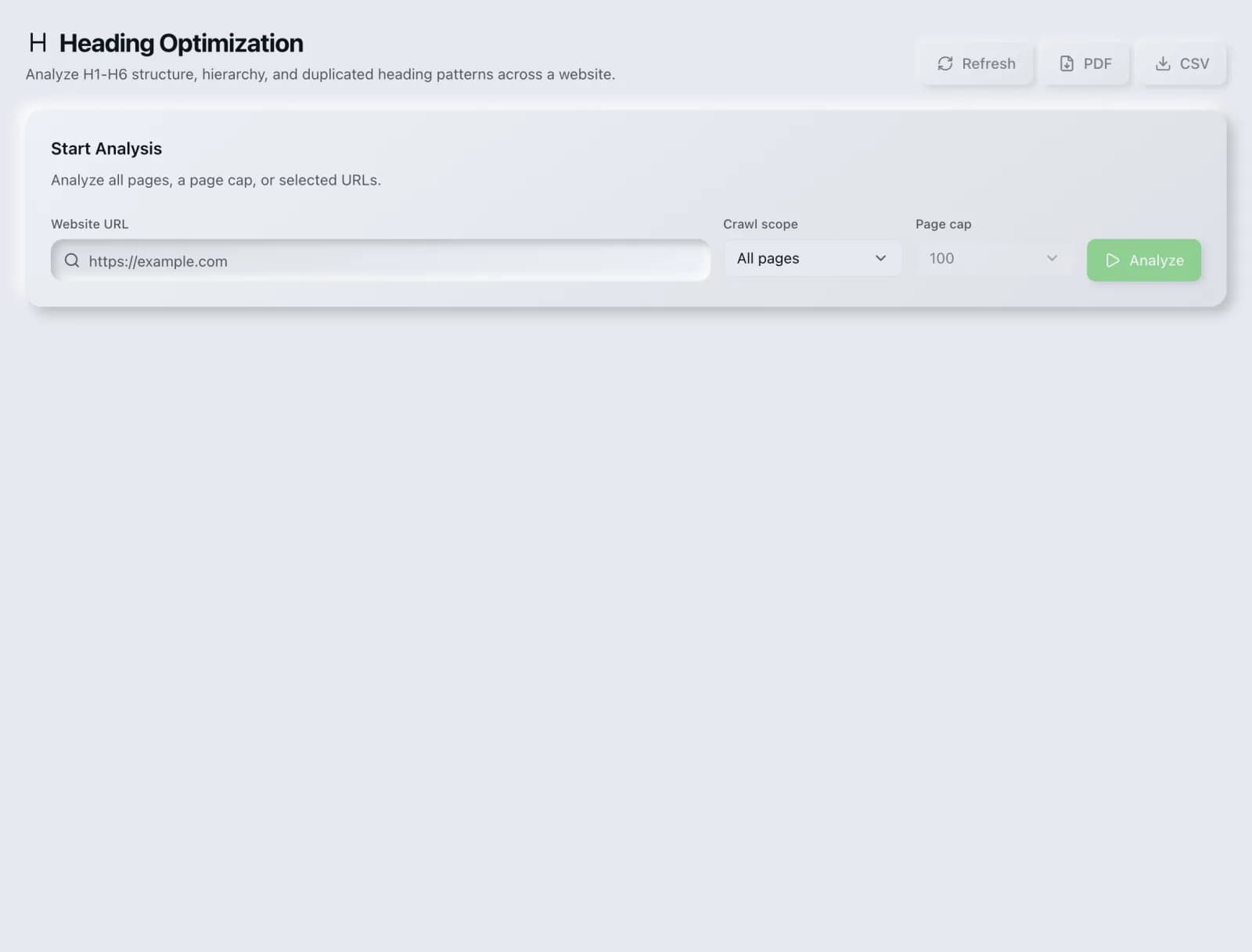
Analyze H1–H6 hierarchy for structure problems that confuse users, crawlers and AI assistants.
What you get
Everything Heading Optimization delivers, out of the box.
Heading tree view
Hierarchy issues
Keyword coverage
Free to use
How it works
From input to insight in three steps.
Enter your URL or keyword
Point Heading Optimization at any page, domain or search term, yours or a competitor's.
SEO Roger analyzes it
We run the analysis with our on-page analyzer in seconds.
Get a prioritized report
Read a clear, ranked breakdown of exactly what to do next.
Related tools
More from Content & On-Page.
What is Heading Optimization?
Heading Optimization analyses the H1 through H6 structure of a page and reports the hierarchy problems that confuse readers, crawlers and AI assistants: missing or multiple H1s, skipped levels, headings used for visual size rather than structure, and sections with no heading at all. It is free on every plan.
How to use Heading Optimization
From signup to shipped fix, this is the whole loop.
- 1Create a free accountSign up in under a minute. No credit card is required, and your first site scan works without an account at all.
- 2Point Heading Optimization at your siteEnter the URL or domain you want to analyze. You can run it on your own site or on a competitor's.
- 3Let it pull the live dataHeading Optimization fetches the current state of the page or domain and runs its checks. Most runs finish in seconds.
- 4Read the ranked findingsResults come back ordered by impact rather than by count, so the issue costing you the most traffic is at the top, not buried under cosmetic warnings.
- 5Ship the fix, then re-runApply the recommended change, or let Roger AI draft it for you, then run the tool again to confirm the issue is resolved and track the improvement.
Why Heading Optimization matters
Headings are the outline of your document, and search engines, screen readers and AI extraction systems all rely on them to understand how a page is organized. When headings are chosen for how big the text looks rather than what level of the argument they represent, that outline becomes meaningless, and every system depending on it degrades at once.
Search is no longer only Google. ChatGPT, Google AI Overviews, Perplexity, Gemini and Claude answer a growing share of queries by reading the same pages crawlers do, then citing a handful of sources. SEO Roger keeps both audiences in view: the classic SERP and the AI answer, from one workspace.
Who it's for
- In-house SEOs who need on-page content and metadata without stitching three tools together
- Agencies and consultants producing client-ready findings, fast
- Founders and marketers who want the fix, not just the metric
Heading Optimization in depth
Hierarchy is the whole point
Heading levels express containment: an H3 is a subsection of the H2 above it. Skipping from H2 to H4 breaks that relationship and leaves a parser guessing where the section boundaries are. The usual cause is styling, where someone picked H4 because it looked the right size. The correct fix is always to use the right level and change the CSS.
Headings are how AI extraction finds the answer
This has become more important recently. When an answer engine looks for a passage that answers a question, a heading phrased as that question with a direct answer underneath is the strongest possible signal about where the answer lives. Pages built as long unbroken prose, or with headings that are clever rather than descriptive, make that identification much harder.
Descriptive beats clever
A heading reading The Nuts and Bolts tells nobody anything. A heading reading How redirects pass ranking signals tells a reader scanning the page, a screen reader user navigating by headings, and an extraction system looking for a topic exactly what is below it. Wordplay in headings costs more than it returns on pages meant to be found through search.
The H1 question
HTML5 technically permits multiple H1s within sectioning elements, and Google has said it handles them. In practice a single H1 that states what the page is about remains the clearest and safest choice, because it removes ambiguity for every consumer of the document. The genuine problems are having no H1 at all, or an H1 that describes the site rather than the page.
Heading Optimization questions, answered
Does it cost credits?
No. Heading Optimization is free on every plan.
Can a page have more than one H1?
It is valid HTML5 and Google says it copes. It is still better to use one. A single H1 unambiguously states the page's subject, and multiple H1s dilute that with no compensating benefit. Use H2s for main sections instead.
Does skipping a heading level hurt rankings?
There is no direct penalty. The damage is to comprehension: a broken hierarchy makes the document structure harder to parse for search engines, screen readers and AI extraction alike. It is a clarity problem with indirect consequences rather than a rule violation.
Should headings contain keywords?
They should describe the section accurately, which usually means the relevant terms appear naturally. Inserting keywords into headings where they do not belong makes the page worse for readers and is a pattern search engines have long discounted.
How many headings should a page have?
Enough that each meaningful section has one. That follows from the content rather than from a target. A long guide might have twenty; a focused landing page might have three.
Do headings help with featured snippets?
Substantially. A heading phrased as the question with a direct, self-contained answer immediately beneath is the structure most often extracted into answer boxes and AI responses. It is one of the highest-return formatting habits available.
Ready to try Heading Optimization?
Create a free account and run it in minutes, plus 55+ other SEO and AI-visibility tools in the same workspace.