
Robots.txt Generator
Build a correct robots.txt in minutes.
Generate a valid robots.txt with the right allow/deny rules and sitemap directives: including AI crawler controls.
What you get
Everything Robots.txt Generator delivers, out of the box.
Guided rule builder
AI crawler directives
Sitemap reference
Free to use
How it works
From input to insight in three steps.
Enter your URL or keyword
Point Robots.txt Generator at any page, domain or search term, yours or a competitor's.
SEO Roger analyzes it
We run the analysis with our crawler and validators in seconds.
Get a prioritized report
Read a clear, ranked breakdown of exactly what to do next.
Related tools
More from Technical SEO.
What is Robots.txt Generator?
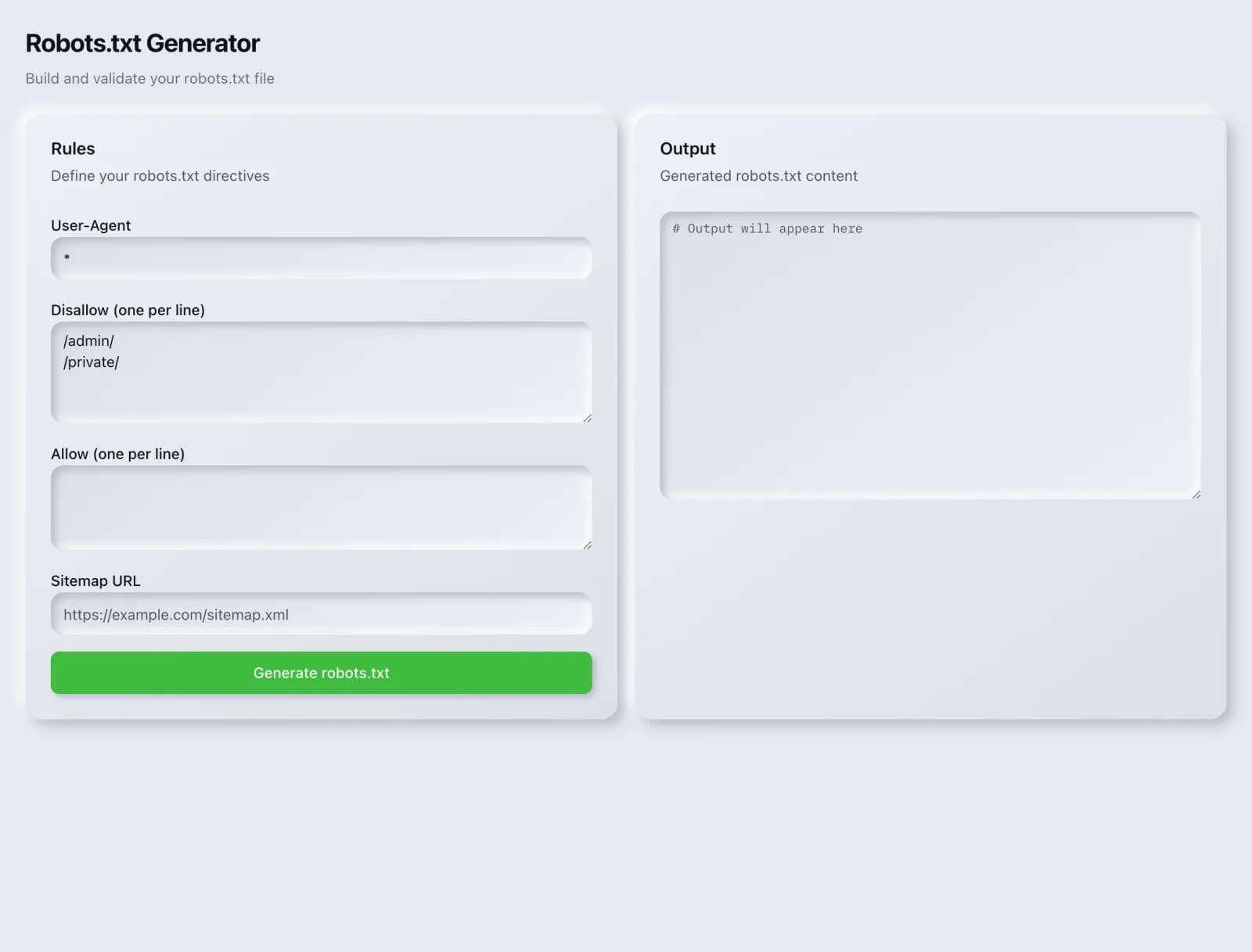
The Robots.txt Generator builds a valid robots.txt with correct allow and disallow rules, sitemap directives and AI crawler controls, so you get the syntax right without learning the specification. It is free on every plan.
How to use Robots.txt Generator
From signup to shipped fix, this is the whole loop.
- 1Create a free accountSign up in under a minute. No credit card is required, and your first site scan works without an account at all.
- 2Point Robots.txt Generator at your siteEnter the URL or domain you want to analyze. You can run it on your own site or on a competitor's.
- 3Let it pull the live dataRobots.txt Generator fetches the current state of the page or domain and runs its checks. Most runs finish in seconds.
- 4Read the ranked findingsResults come back ordered by impact rather than by count, so the issue costing you the most traffic is at the top, not buried under cosmetic warnings.
- 5Ship the fix, then re-runApply the recommended change, or let Roger AI draft it for you, then run the tool again to confirm the issue is resolved and track the improvement.
Why Robots.txt Generator matters
robots.txt is a small file with an outsized ability to cause damage. A single misplaced slash can deindex an entire site, and this happens regularly, usually when a staging file with a blanket disallow is copied to production. Because the syntax is terse and unforgiving, generating it is meaningfully safer than typing it.
Search is no longer only Google. ChatGPT, Google AI Overviews, Perplexity, Gemini and Claude answer a growing share of queries by reading the same pages crawlers do, then citing a handful of sources. SEO Roger keeps both audiences in view: the classic SERP and the AI answer, from one workspace.
Who it's for
- In-house SEOs who need crawling, indexing and structured data without stitching three tools together
- Agencies and consultants producing client-ready findings, fast
- Founders and marketers who want the fix, not just the metric
Robots.txt Generator in depth
Disallow does not mean noindex, and the difference matters
This is the most consequential misunderstanding in technical SEO. Disallow tells a crawler not to fetch a URL. It does not tell a search engine to keep it out of the index, and a disallowed page can still appear in results if other pages link to it, showing as a bare URL with no description because the engine was forbidden from looking. To genuinely keep a page out of the index, allow it to be crawled and serve a noindex meta tag or header. Blocking it in robots.txt actively prevents the engine from seeing the noindex you added.
What belongs in the file and what does not
Good candidates are genuinely useless crawl targets: internal search results, faceted filter combinations that multiply infinitely, cart and checkout paths, admin areas. Bad candidates are anything you want kept private, because robots.txt is a public file that effectively advertises the paths you listed, and anything you want deindexed, for the reason above. Private means authentication, not a disallow line.
Order and specificity
Rules are matched by the most specific applicable pattern rather than by file order, and separate user-agent blocks are independent: a crawler follows the block that names it and ignores the wildcard block entirely, so a rule you thought applied to everyone may not apply to the bot you cared about. This is a frequent source of rules that appear correct and do nothing.
Always include the sitemap
A sitemap directive costs one line and gives every crawler a direct route to your URL inventory, independent of whether they found your sitemap by other means. It is the single highest-value line in most robots.txt files and among the most commonly omitted.
Robots.txt Generator questions, answered
Does it cost credits?
No. The generator is free on every plan.
Where does robots.txt go?
At the root of the domain, served at /robots.txt. It only governs the host it sits on, so subdomains need their own file. A robots.txt on your main domain has no effect on a blog running at a subdomain.
Will blocking a page remove it from Google?
No, and this catches people out constantly. Blocking prevents crawling, not indexing. A blocked URL that other sites link to can still appear in results as a bare link. To remove a page properly, let it be crawled and serve a noindex directive, or remove it and return a 410.
Can I hide sensitive pages with robots.txt?
No, and you should assume the opposite. robots.txt is public, so listing a path there tells anyone reading it exactly where to look. Anything genuinely sensitive needs authentication or server-level access control.
How do I control AI crawlers here?
By naming their user agents in their own blocks, since they are distinct from Googlebot and Bingbot. The generator includes the current AI agents so you can set a per-engine policy. To see what your live file currently permits, run the AI Crawler Matrix.
How quickly do changes take effect?
Crawlers cache robots.txt and recheck periodically, typically within a day or so rather than instantly. After any significant change, verify the live file and confirm the rules parse as you intended rather than assuming.
Ready to try Robots.txt Generator?
Create a free account and run it in minutes, plus 55+ other SEO and AI-visibility tools in the same workspace.