
SERP Simulator
Preview your snippet before you publish.
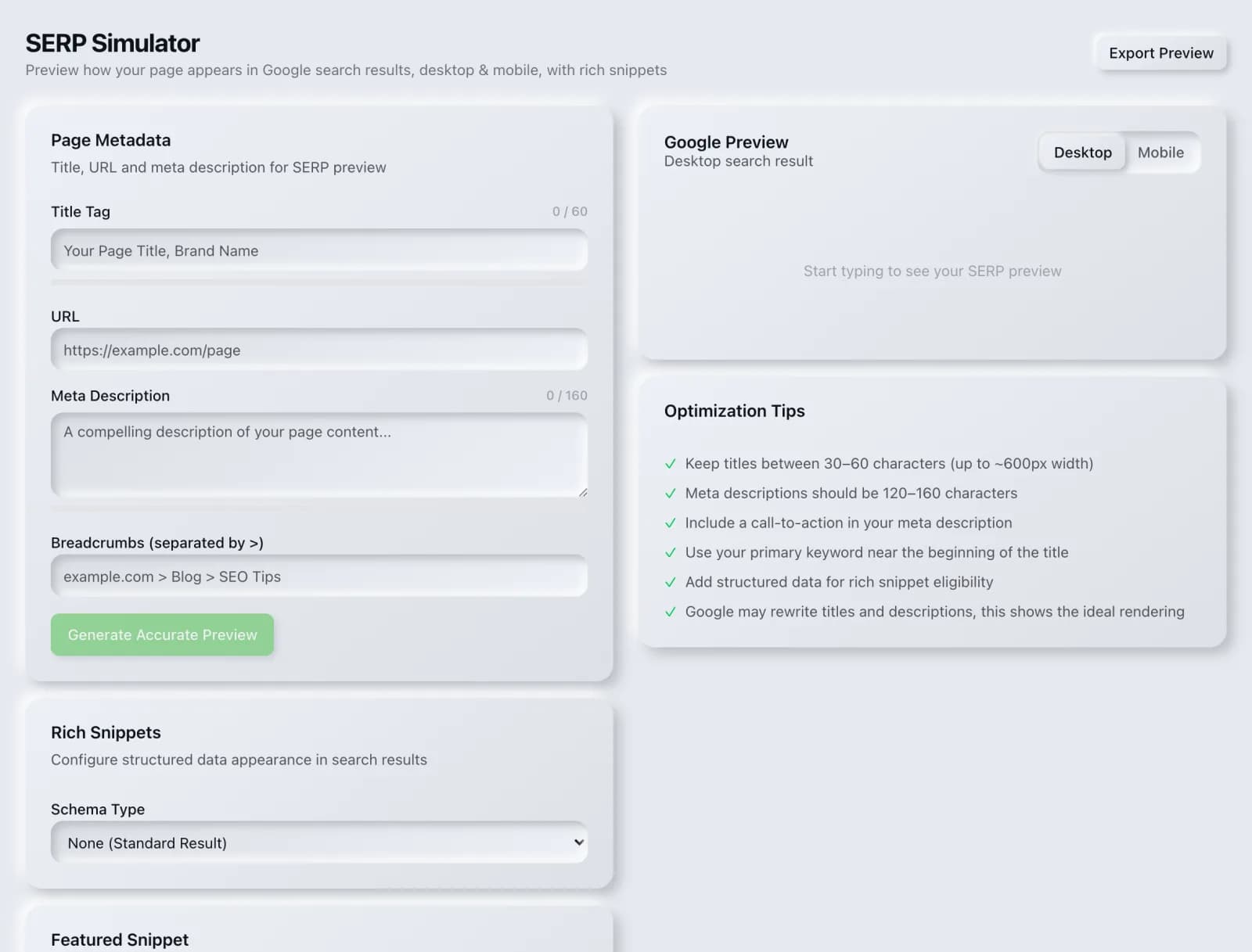
See exactly how your title and description will look in Google results, with pixel-width warnings so nothing gets truncated.
What you get
Everything SERP Simulator delivers, out of the box.
Live title & meta preview
Pixel-width truncation checks
Mobile & desktop views
Free to use
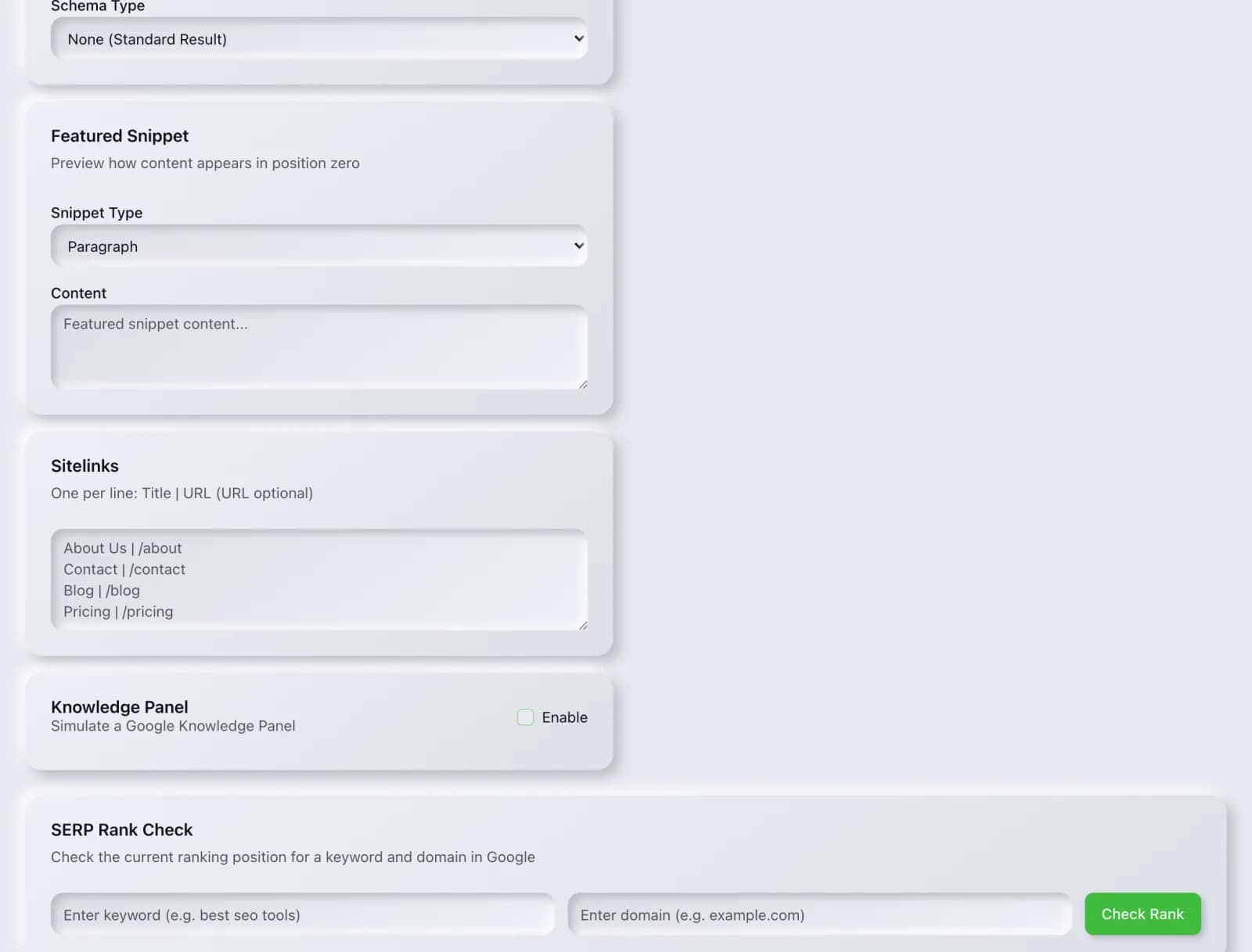
Further down the screen
The rest of what SERP Simulator puts in front of you, from the same session.
How it works
From input to insight in three steps.
Enter your URL or keyword
Point SERP Simulator at any page, domain or search term, yours or a competitor's.
SEO Roger analyzes it
We run the analysis with DataForSEO's live SERP data in seconds.
Get a prioritized report
Read a clear, ranked breakdown of exactly what to do next.
Related tools
More from Rankings & Keywords.
What is SERP Simulator?
The SERP Simulator previews how your title and meta description will appear in Google's results, measuring them in pixels rather than characters and warning you before either gets truncated. It is free on every plan.
How to use SERP Simulator
From signup to shipped fix, this is the whole loop.
- 1Create a free accountSign up in under a minute. No credit card is required, and your first site scan works without an account at all.
- 2Point SERP Simulator at your siteEnter the URL or domain you want to analyze. You can run it on your own site or on a competitor's.
- 3Let it pull the live dataSERP Simulator fetches the current state of the page or domain and runs its checks. Most runs finish in seconds.
- 4Read the ranked findingsResults come back ordered by impact rather than by count, so the issue costing you the most traffic is at the top, not buried under cosmetic warnings.
- 5Ship the fix, then re-runApply the recommended change, or let Roger AI draft it for you, then run the tool again to confirm the issue is resolved and track the improvement.
Why SERP Simulator matters
Your title and description are the advert for every page you own, and they are usually written last, in a small form field, with no idea how they will look. Google truncates on rendered pixel width, so a character count is a poor guide: a title full of capitals and wide letters is cut off well before one made of narrow characters at the same length. Seeing it rendered is the only reliable check.
Search is no longer only Google. ChatGPT, Google AI Overviews, Perplexity, Gemini and Claude answer a growing share of queries by reading the same pages crawlers do, then citing a handful of sources. SEO Roger keeps both audiences in view: the classic SERP and the AI answer, from one workspace.
Who it's for
- In-house SEOs who need keyword rankings and search demand without stitching three tools together
- Agencies and consultants producing client-ready findings, fast
- Founders and marketers who want the fix, not just the metric
SERP Simulator in depth
Pixels, not characters
Advice to keep titles under a fixed character count is a rough approximation of the real constraint, which is width in pixels. Google's title display space is roughly 580 pixels on desktop, and letters are not equal: an uppercase W is several times wider than a lowercase l. Two titles of identical character length can behave completely differently, which is why a simulator that renders the text is more useful than a counter that measures it.
Front-load what matters
Because truncation cuts from the end, everything essential belongs at the front. Put the distinctive part of the page first and the brand name last, where losing it costs nothing. Titles that open with the brand on every page spend their most valuable space on a word the reader already knows, and then get truncated before reaching the part that would have earned the click.
Google may rewrite what you wrote
This is the honest caveat. Google rewrites title tags in a substantial share of results, and it rewrites meta descriptions even more often, frequently pulling a passage from the page that better matches the specific query. You are writing a strong suggestion rather than a fixed instruction. Well-written, accurate, query-relevant tags are rewritten less often, so the work still pays, but no tool can promise your text will appear verbatim.
Write for the click, not the keyword
Titles stuffed with keyword variants read like machine output and suppress click-through, which is the one metric a title genuinely controls. Include the term the page targets once, phrased the way a person would say it, and spend the rest of the space on a reason to choose your result over the nine others. A result that ranks fifth but earns clicks often outperforms one that ranks third and does not.
SERP Simulator questions, answered
Does the simulator cost credits?
No. It is free on every plan and runs entirely in your browser, so use it as often as you like.
How long should a title be?
Aim for roughly 50 to 60 characters as a starting point, then check the pixel width, because the width is what actually decides truncation. Desktop titles have around 580 pixels of space. The character range is a guide to get you close; the simulator tells you whether you fit.
Do meta descriptions affect rankings?
Not directly. Google has been explicit that meta descriptions are not a ranking factor. They affect click-through rate, which decides how much traffic a given ranking actually delivers. A page ranking fourth with a compelling description can outperform one ranking second with a dull one, so they are worth writing well for commercial reasons rather than algorithmic ones.
Why does Google show something different from what I wrote?
Because it decided its own version served the query better, which happens often. For descriptions in particular, Google frequently extracts a passage from the page body that contains the searcher's exact words. The usual fix is to make sure the page itself answers the query clearly near the top, since that passage is what gets pulled.
Should every page have a unique description?
Every page that matters should. Duplicate descriptions across a range signal that the pages are interchangeable and waste the chance to differentiate each one. For very large sites where hand-writing thousands is impractical, it is usually better to leave descriptions off low-value pages and let Google extract a relevant passage than to repeat one generic sentence everywhere.
Does the mobile preview differ?
Yes. Mobile results have less horizontal space, so titles truncate earlier. If most of your traffic is mobile, and for most sites it is, treat the mobile preview as the one that matters and let desktop take care of itself.
Ready to try SERP Simulator?
Create a free account and run it in minutes, plus 55+ other SEO and AI-visibility tools in the same workspace.