
PageSpeed Insights
Core Web Vitals and performance, page by page.
Measure Core Web Vitals and load performance for any URL, with clear guidance on what to fix first.
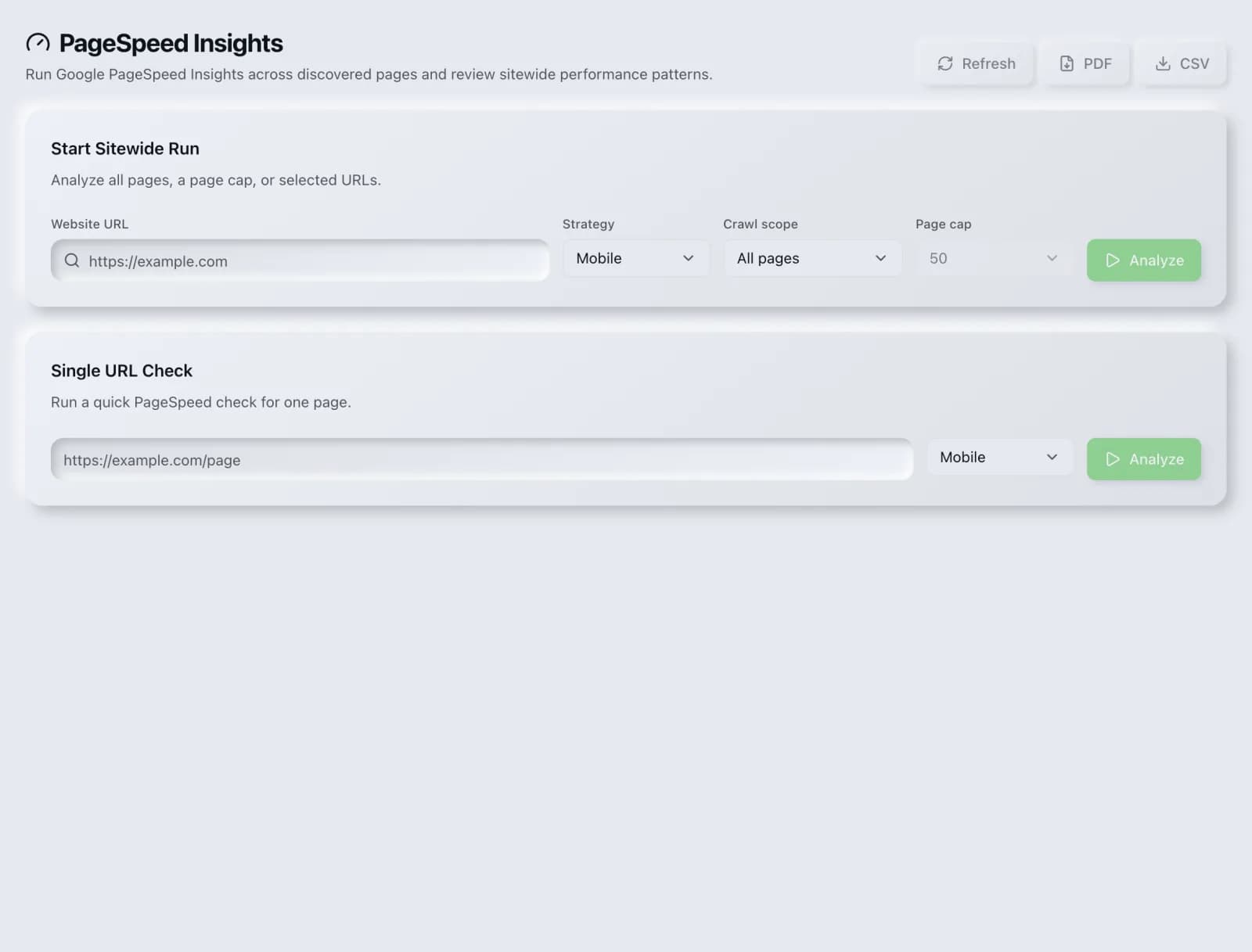
What you get
Everything PageSpeed Insights delivers, out of the box.
LCP, INP and CLS scoring
Mobile & desktop breakdown
Actionable optimization tips
Free on every plan
How it works
From input to insight in three steps.
Enter your URL or keyword
Point PageSpeed Insights at any page, domain or search term, yours or a competitor's.
SEO Roger analyzes it
We run the analysis with our full-site crawler in seconds.
Get a prioritized report
Read a clear, ranked breakdown of exactly what to do next.
Related tools
More from Site Audit & Monitoring.
What is PageSpeed Insights?
PageSpeed Insights measures how fast a single page actually feels to the people loading it, using Google's own Core Web Vitals: Largest Contentful Paint for loading, Cumulative Layout Shift for visual stability, and Interaction to Next Paint for responsiveness. SEO Roger runs the check for any URL, free on every plan, and orders the fixes by how much time each one is costing you.
How to use PageSpeed Insights
From signup to shipped fix, this is the whole loop.
- 1Create a free accountSign up in under a minute. No credit card is required, and your first site scan works without an account at all.
- 2Point PageSpeed Insights at your siteEnter the URL or domain you want to analyze. You can run it on your own site or on a competitor's.
- 3Let it pull the live dataPageSpeed Insights fetches the current state of the page or domain and runs its checks. Most runs finish in seconds.
- 4Read the ranked findingsResults come back ordered by impact rather than by count, so the issue costing you the most traffic is at the top, not buried under cosmetic warnings.
- 5Ship the fix, then re-runApply the recommended change, or let Roger AI draft it for you, then run the tool again to confirm the issue is resolved and track the improvement.
Why PageSpeed Insights matters
Speed is a real ranking signal, but it is a small one, and treating it as the main event is how teams burn a quarter chasing a score instead of revenue. The stronger argument is commercial: slow pages lose people before the page finishes rendering, and that loss compounds on mobile connections where most traffic now lives. Optimize for the person waiting, and the ranking signal follows for free.
Search is no longer only Google. ChatGPT, Google AI Overviews, Perplexity, Gemini and Claude answer a growing share of queries by reading the same pages crawlers do, then citing a handful of sources. SEO Roger keeps both audiences in view: the classic SERP and the AI answer, from one workspace.
Who it's for
- In-house SEOs who need technical health and crawlability without stitching three tools together
- Agencies and consultants producing client-ready findings, fast
- Founders and marketers who want the fix, not just the metric
PageSpeed Insights in depth
The three metrics, in plain language
Largest Contentful Paint asks when the biggest thing on screen finished loading, which is a decent proxy for when the page felt ready. Cumulative Layout Shift measures how much the page jumps around while loading, the effect that makes you tap the wrong button. Interaction to Next Paint measures how long the page takes to visibly respond after you tap or click. INP replaced First Input Delay as a Core Web Vital in March 2024 and is the stricter test, because it looks at every interaction rather than only the first.
Lab data and field data disagree, and that is normal
A lab test loads your page once, on one simulated device, on one connection. Field data is what real visitors on real hardware experienced over the previous 28 days. When the two disagree, field data wins, because it includes the cheap Android phone on a weak signal that your development machine never simulates. Treat the lab number as a fast iteration loop and the field number as the truth you are being graded on.
Where the time usually goes
In practice most poor scores trace back to a short list: uncompressed hero images in legacy formats, render-blocking scripts and stylesheets in the head, third-party tags such as chat widgets and analytics loading before your own content, fonts that block text from painting, and images or ad slots without reserved dimensions, which is the usual cause of layout shift. The fixes are ordinary engineering work rather than exotic performance tuning.
Fix the template, not the page
The point of testing one URL is rarely that one URL. Most sites have a handful of templates, so a render-blocking script on your article template is costing you on every article you have ever published. Test one representative page per template, fix the template, and the improvement lands across thousands of URLs at once. Testing pages one at a time is the slowest possible route to the same result.
PageSpeed Insights questions, answered
Does page speed actually affect Google rankings?
Yes, but modestly. Core Web Vitals are part of Google's page experience signals, and they act more like a tiebreaker between comparably relevant results than a way to outrank genuinely better content. A fast page with weak content will not beat a slow page that answers the question properly. Speed is worth fixing mainly because it affects conversion and bounce, with the ranking benefit as a bonus.
What are good Core Web Vitals scores?
Google's thresholds for a good rating are Largest Contentful Paint under 2.5 seconds, Cumulative Layout Shift under 0.1, and Interaction to Next Paint under 200 milliseconds. You are assessed at the 75th percentile of real visits, so it is not enough for the page to be fast for most people. It has to be fast for roughly three quarters of them, including those on slow devices.
Does this tool cost credits?
No. PageSpeed checks are free on every plan, including the free-forever plan, because they run against free infrastructure rather than a paid third-party data provider. Run them as often as you like.
Why did my score change when I did not change anything?
Lab scores vary between runs because they depend on network conditions and server load at the moment of testing, so a five point swing is noise rather than a regression. Field data moves for a different reason: it is a rolling 28-day window, so a fix takes weeks to fully show up, and a change in your traffic mix toward mobile can move the number without any code change at all.
Should I aim for a perfect 100?
Almost never. The last stretch from roughly 90 to 100 usually costs more engineering time than everything before it and delivers very little that a visitor can perceive. Getting into the good band on all three Core Web Vitals captures nearly all of the benefit. Past that point your time is better spent on content and internal linking.
How does this differ from the Full Site Audit?
This tool goes deep on performance for one URL. The Full Site Audit crawls your whole site and grades eleven modules, performance being one of them. Use PageSpeed when you are iterating on a specific template and want a tight feedback loop, and the site audit when you want to know which pages across the site have a performance problem in the first place.
Ready to try PageSpeed Insights?
Create a free account and run it in minutes, plus 55+ other SEO and AI-visibility tools in the same workspace.